Claude Artifacts for HTML reports: version-controlled, refreshable, and cheap on tokens
Claude can build a genuinely interactive HTML report in chat. Here's how to stop it living and dying in one conversation: version it, refresh its data, and edit it without resending the whole document every time.
· 6 min read
Ask Claude for a dashboard and it can hand you back a real one: not a screenshot, not a pasted table, but a working, interactive Artifact with charts, filters, and layout, rendered right there in the conversation. For a one-off analysis, that's already better than a spreadsheet screenshot. The trouble starts once the report is actually useful and you want to keep it that way.
Where artifacts start to strain
Three things tend to go wrong once an artifact becomes something people rely on rather than something you glanced at once:
- No version history.The report lives inside one conversation. Start a new chat, hit a context limit, or have the thread summarised, and the artifact you were iterating on is gone. There's nothing to diff, and nothing to roll back to.
- Data goes stale.An artifact is a snapshot. If the numbers behind it change next week, the artifact doesn't. Someone has to go back into Claude and ask for it again.
- Every edit re-sends the whole thing. Ask for a small tweak, like a different colour or one more filter, and the model typically has to reproduce the entire HTML document to give it back to you. A report with a few charts and some embedded data can run to hundreds of lines. Reprocessing all of that for a one-line change is slow, and it adds up in tokens fast if you're iterating.
The fix is to stop treating the report as one blob
Each of those problems has the same root cause: the shell (the HTML, the layout, the chart code) and the data (the numbers behind it) are baked together into a single artifact. Pull them apart and all three problems get much smaller.
The pattern, in short:
- Build the report shell once (charts, filters, layout) so it reads its numbers from a small data payload rather than having them hard-coded into the markup.
- Publish that shell somewhere outside the chat, with its own stable link and a real version history.
- Refresh by re-running just the data fetch, not by asking Claude to regenerate the HTML.
- Edit by patching the specific part that changed, not by resending the whole document.
None of this means giving up on Claude building the report for you. It's about giving the result a home once it's built, instead of leaving it stranded in a chat transcript.
What that looks like with RepKlord
This is the exact gap RepKlord fills. It connects to Claude through an MCP connector, so once it's set up, publishing a report is just something Claude can do mid-conversation.
- Version control.Every publish gets a stable, shareable link, protected by your organisation's Microsoft sign-in. The report survives long after the chat that created it does.
- Refresh without a rebuild. Live reports keep a sandboxed runner that re-fetches source data on a schedule, or on demand, and writes results into a per-report data store. The HTML shell just reads from named queries. Viewers reload the same link and see current numbers, and nothing gets republished.
- Cheap, targeted edits. Small changes to an existing report are applied as patches to the part that changed, instead of the model regenerating and resending the entire file for a one-line tweak.
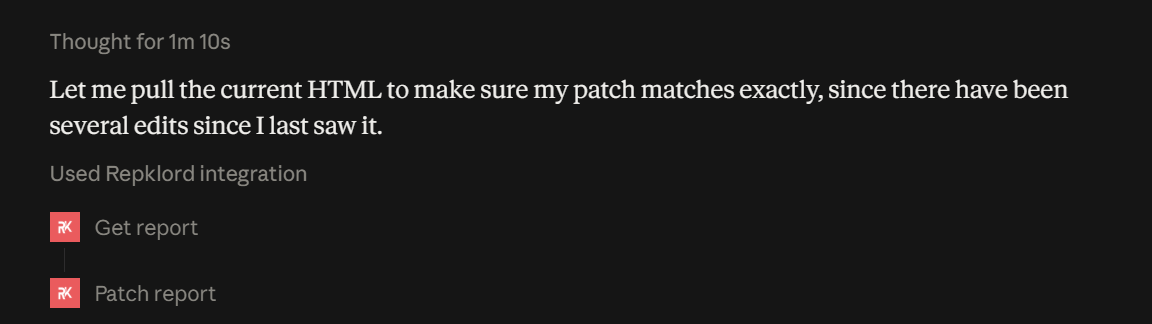
The report itself is still an interactive artifact built by Claude, with whatever charts, filters, and drill-downs the data calls for. RepKlord just gives it a life outside the conversation: somewhere it can be linked to, scheduled, and safely handed to people who don't use Claude at all.
A rough walkthrough
In practice, the flow looks like this. Describe the report you want, whether that's a weekly sales summary, a support ticket breakdown, or an uptime dashboard. Claude builds the interactive version and, with RepKlord connected, publishes it to a link you can drop straight into Slack or a status page. If the underlying data updates daily, the report is set to refresh on a schedule, so the link always shows current figures without anyone touching Claude again. A few days later, a small change is needed, say adding a region filter, and that request only touches the part of the report that changed rather than starting from scratch.
The report behaves like a small, living product rather than a one-time export.
Takeaways
- Separate the report shell from the data behind it.
- Give reports a stable, access-controlled link outside the chat.
- Refresh data on its own instead of regenerating the HTML.
- Ask for edits as patches, not full rewrites.
That's the whole idea. It works whether you build the tooling yourself or use something like RepKlord to handle the publishing, refresh, and access control for you.